5.5. SMTP server configuration
You can define SMTP server configurations in the WebUI or with the SMTP server endpoints.
An SMTP server configuration contains the
server as FQDN, IP address or URL:
smtp://host[:port], orsmtps://host[:port]for TLS from the start (usually port 465; the current WebUI then hides the StartTLS checkbox). A port in the URL takes precedence over the port field.the port (defaults to 25),
the timeout in seconds (default 10),
the sender email address,
a username and password in case of authentication
an optional description
a TLS flag
S/MIME signing flag
S/MIME private_key
password for the private_key (empty if not needed)
S/MIME certificate
Don’t send on signing error flag
Note
To use S/MIME you need to configure the paths to your S/MIME private_key and certificate for each SMTP server via the WebUI.
Each SMTP server configuration is addressed via a unique identifier. You can then use such a configuration for the Email token, the SMTP SMS provider, the User Notification Handler Module, Email tokens enrolled by the Token Handler Module, the email notifications of Conditional Access, User registration and password_reset.
Under External Services -> SMTP Servers you can get a list of all configured SMTP servers, create new server definitions and delete them.
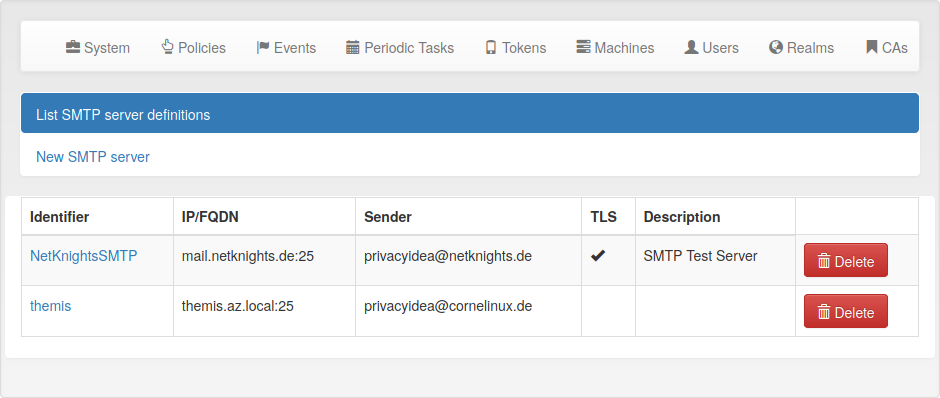
The list of SMTP servers.
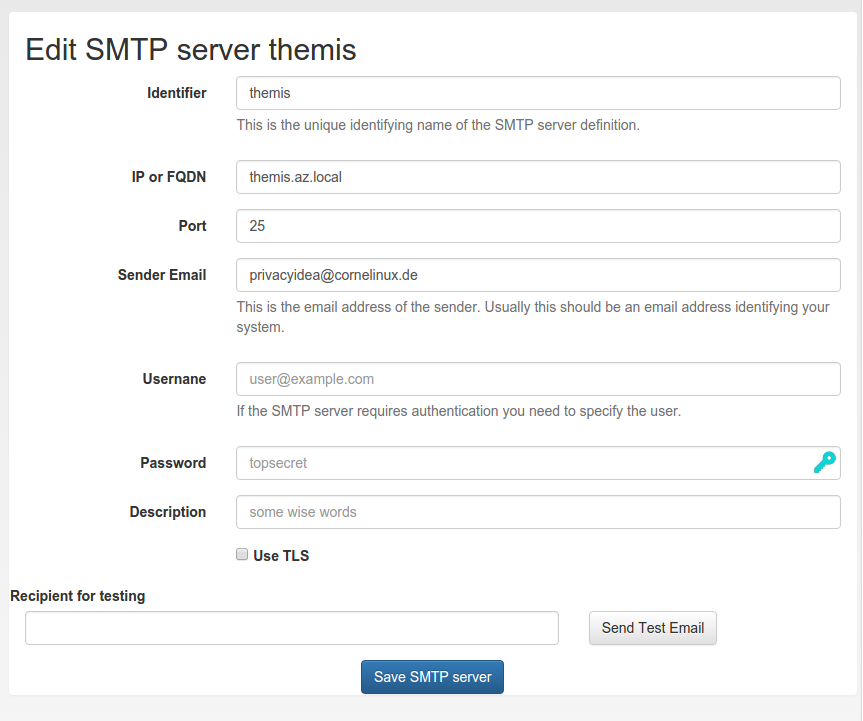
Edit an existing SMTP server definition.
In the edit dialog you can enter all necessary attributes to talk to the SMTP server. You can also send a test email to verify that your settings are correct.