6.3.1.15. RADIUS
The token type RADIUS forwards the authentication request to a RADIUS Server.
When forwarding the authentication request, you can change the username and mangle the password.
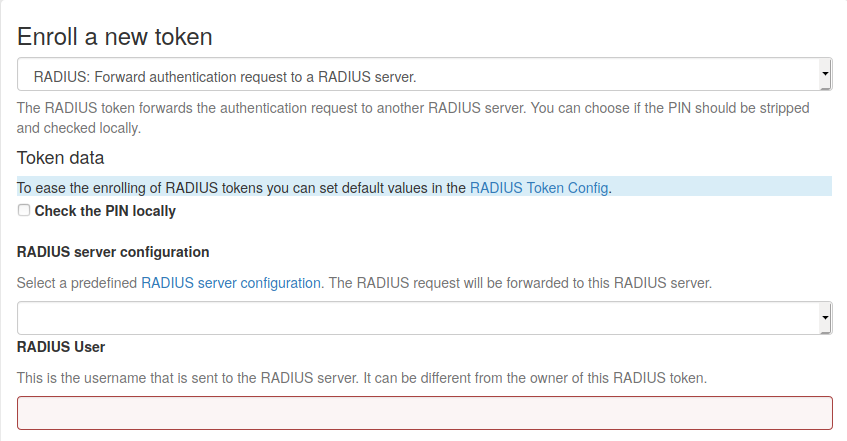
Enroll a RADIUS token
Check the PIN locally
If checked, the PIN of the token will be checked on the local server. If the PIN matches only the remaining part of the issued password will be sent to the RADIUS server.
RADIUS Server configuration
The configuration of the RADIUS server to which the authentication request will be forwarded. The configuration can be defined in RADIUS server configuration
RADIUS User
When forwarding the request to the RADIUS server, the authentication request will be issued for this user. If the user is left empty, the RADIUS request will be sent with the same user currently trying to authenticate.
RADIUS Secret
The RADIUS secret for this RADIUS client.
Note
Using the RADIUS token you can design migration scenarios. When migrating from other (proprietary) OTP solutions, you can enroll a RADIUS token for the users. The RADIUS token points to the RADIUS server of the old solution. Thus the user can authenticate against privacyIDEA with the old, proprietary token, till he is enrolled a new token in privacyIDEA. The interesting thing is, that you also get the authentication request with the proprietary token in the audit log of privacyIDEA. This way you can have a scenario, where users are still using old tokens and other users are already using new (privacyIDEA) tokens. You will see all authentication requests in the privacyIDEA system.